How to set up a client profile so AI drafts sound like the client
Written by Jen Plahm · September 1, 2026

When I set up a client in The PR Assistant, I wanted the profile to get used, which is a different goal from getting stored. This one feeds every tool in the platform, so each field is there because something downstream reads it. Drafts made from it can then go through Writing Review before they leave.
The fields are voice samples, boilerplate, key messages, spokespeople, and output language.
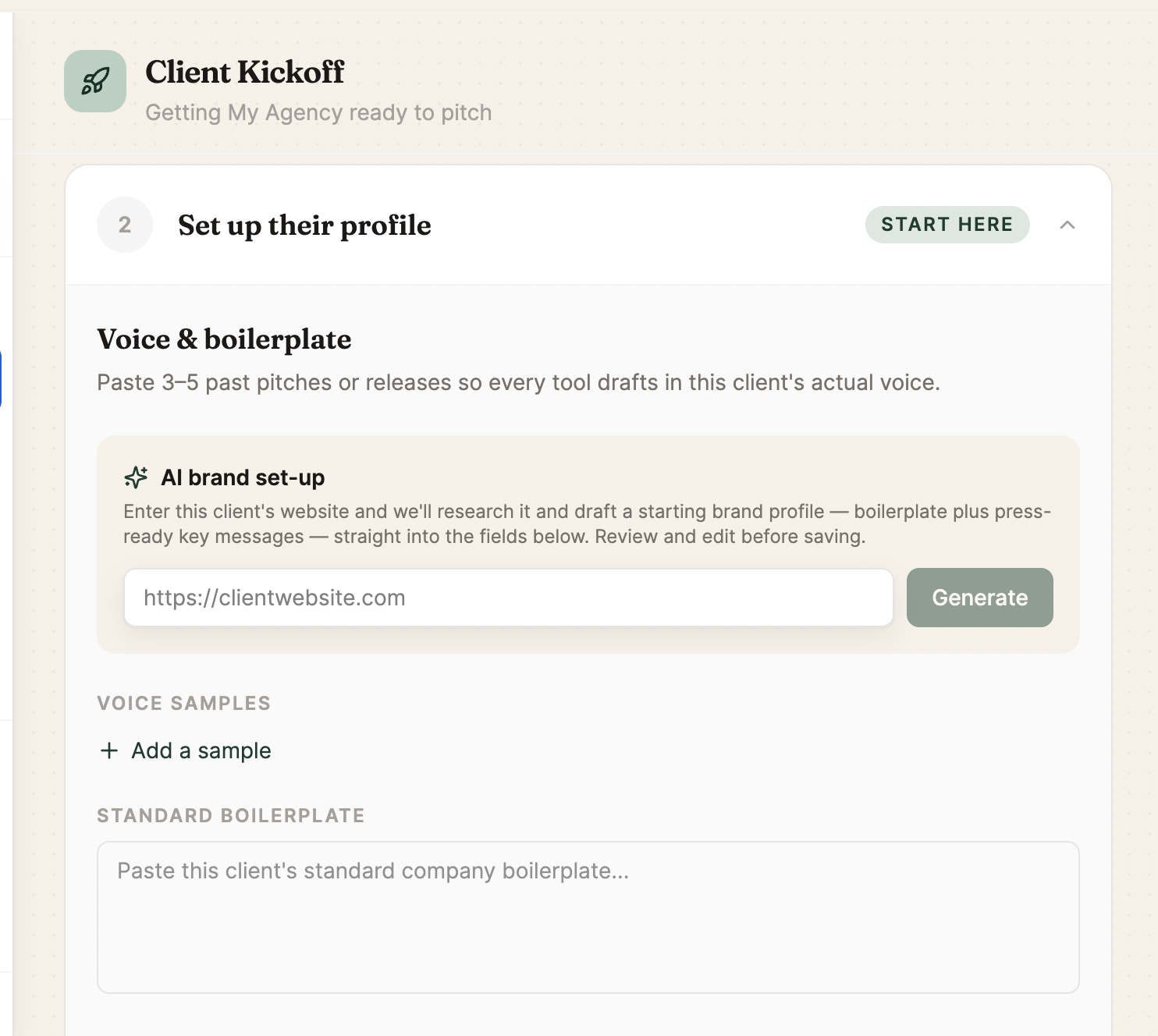
Voice samples
Paste in a few pieces of writing the client has already approved. Choose sentences that went out under their name over a style guide written in 2019 that nobody has opened since. The tool reads them and matches the tone in everything it drafts afterward. A client who writes tight, declarative sentences gets drafts that sound tight and declarative.
I tested this with a beauty brand and one of its lines: "Meadowlark's new overnight repair serum lands in Sephora stores nationwide this spring." That voice is specific and a little punchy. The pitches and posts the tool wrote afterward kept that rhythm and avoided the generic press release cadence.
Boilerplate
Paste the current boilerplate once. The tools draw on it wherever a boilerplate fits, so you stop pasting it in by hand.
Key messages
This field is easy to skip. List the two or three points the client wants to land whatever the piece is about, and the tools work them in where they fit instead of forcing them into every sentence.
Spokespeople
Store who is available to be quoted, their title, and the topics they can speak on. When you ask for a quote from the CTO, the tool can attribute it to the spokesperson on file, with their title. You skip the email thread you would otherwise search to find out whether the VP of Product left in March.
Output language
If a client works in more than one market, set the language here, and the tool writes for that client in that language. The app's interface stays in English.
Why the setup is worth doing
Five fields is admin work. The payoff comes later, because the Pitch Builder, the crisis workflow, and every other tool read from the same profile. You brief the client once and stop re-explaining who they are each time you open a new tool.
The crisis workflow and the new business workflow both read from this profile too. For clients you already work with, move over a current boilerplate and a couple of approved writing samples. That beats starting blank and hoping the tool guesses the voice. You can start a free trial here.
Written by a PR professional with 17 years in the industry.